CSS Introduction
5 min read · Free · No login needed
CSS stands for Cascading Style Sheets. It is the language that decides how a web page looks — the colours, the fonts, the spacing, and the layout. HTML builds the page; CSS dresses it up.
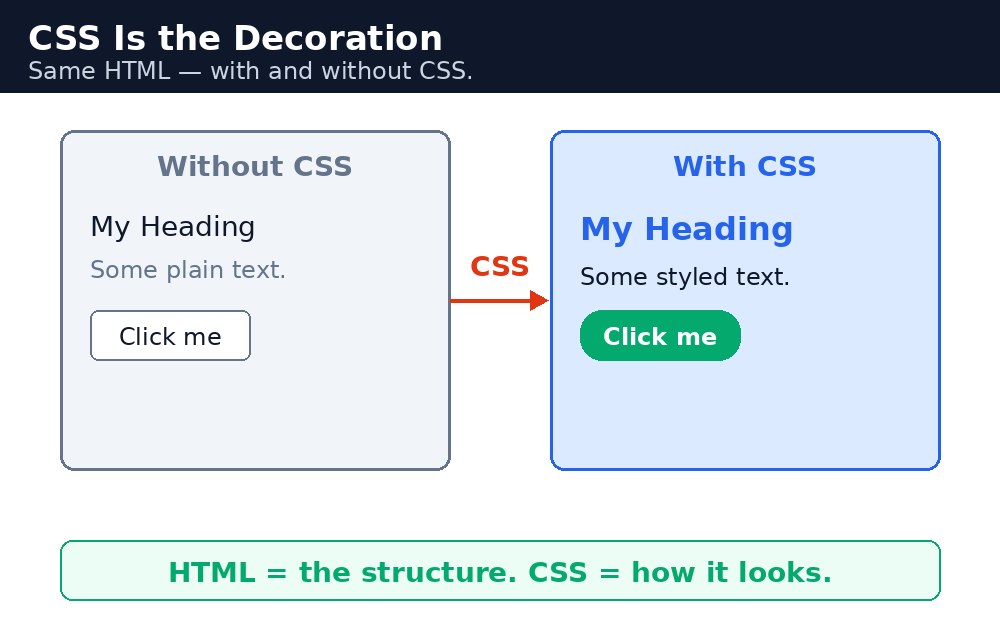
Think of a house. HTML is the walls, the rooms, and the doors — the structure. CSS is the paint on the walls, the curtains, and the furniture — the decoration. JavaScript is the electricity and the moving parts — the action. A page with only HTML works, but it looks plain: black text on a white background, everything in one column. Add CSS, and the same page becomes colourful, spaced out, and pleasant to read.
Remember it like this: HTML = ढाँचा, CSS = सजावट, JavaScript = हरकत. HTML is the skeleton, CSS is the decoration, JavaScript is the action. You already know HTML. This course teaches you CSS — the second of the three.
What CSS actually does
CSS lets you change almost everything you see on a page. You can make a heading blue, make a paragraph bigger, put space between two boxes, centre a button, or lay out a whole page in columns. You write rules — small instructions that say "this part of the page should look like that". The browser reads your rules and paints the page accordingly.
The best part: one CSS file can style an entire website. Change the colour in one place, and every page of the site changes at once. That is why real websites keep their CSS in a separate file instead of repeating it on every page.
Syntax — your first CSS rule
A CSS rule has two parts: a selector (which part of the page) and a declaration block (how it should look). The selector comes first, then curly braces { }, and inside them one or more declarations. Each declaration is a property and a value, separated by a colon and ended with a semicolon.
h1 {
  color: blue;
  font-size: 32px;
}
Read it like a sentence: "Every h1 heading should be blue, and its text should be 32 pixels tall." The selector h1 picks the heading. The declaration color: blue; sets its colour. The declaration font-size: 32px; sets its size.
Why CSS exists
In the early days of the web, people styled pages with HTML attributes — color, bgcolor, font — written again and again on every tag. It was messy: to change one colour you had to edit every page. CSS was invented to fix that. It pulls all the styling out of the HTML and into one place, so the HTML stays clean and the design stays in one file.
Today every professional website uses CSS. If you can write HTML and CSS together, you can build a complete, good-looking website. JavaScript comes later, for the parts that move and react.
Common mistakes
- Thinking CSS is a programming language — it is a styling language. You do not write logic in it, only rules about looks.
- Styling with HTML attributes like
bgcoloror<font>— those are old and outdated. CSS replaces them completely. - Writing the same style again on every element — write one rule, let it apply to all matching elements.
- Expecting CSS to change what a page does — clicking, saving, and calculations are JavaScript's job, not CSS.
Remember
- CSS = Cascading Style Sheets. It controls how a page looks.
- HTML = ढाँचा (skeleton), CSS = सजावट (decoration), JavaScript = हरकत (action).
- A CSS rule is a selector plus a declaration block:
selector { property: value; }. - One CSS file can style a whole website — change it once, and every page changes.
Example explained
<style>— the CSS lives inside the<style>block in the<head>. Everything between<style>and</style>is a CSS rule, not HTML.body { background-color: #fff8e1; }— paints the whole page a soft cream colour, like the wall of a chai shop.h1 { color: #b45309; }— makes the main heading a warm brown-orange, so it stands out from the body text..card { background-color: white; border: 2px solid #f59e0b; }— the menu card gets a white background and an orange border, so it looks like a card on the page..price { color: green; font-weight: bold; }— the prices turn green and bold, so a visitor's eye finds them first.
Example
<!DOCTYPE html>
<html>
<head>
<title>My Chai Shop</title>
<style>
body { background-color: #fff8e1; font-family: Verdana, sans-serif; }
h1 { color: #b45309; text-align: center; }
.card { background-color: white; border: 2px solid #f59e0b; padding: 16px; width: 320px; margin: 20px auto; }
.price { color: green; font-weight: bold; }
</style>
</head>
<body>

<h1>My Chai Shop</h1>
<div class="card">
<p>Masala Chai — <span class="price">₹10</span></p>
<p>Adrak Chai — <span class="price">₹15</span></p>
<p>Kulhad Chai — <span class="price">₹20</span></p>
</div>

</body>
</html>
Output

Try it yourself — live editor
Change the code below and press Run to see the result instantly. No file to save, no login needed.
Check yourself — did you get it?
Finished the lesson? Test yourself with 5 quick questions — you get the answer instantly, with the reason for each one.
1. What does CSS stand for?
2. In the house analogy, what is CSS?
3. Is CSS a programming language?
4. In the mnemonic "HTML = ढाँचा, CSS = सजावट, JavaScript = हरकत", what does CSS stand for?
5. What is a CSS rule made of?
Interview questions — can you answer these?
Read the question first, try to answer it in your own words, then open it to check. These are the questions interviewers actually ask.
1. What is CSS?
CSS (Cascading Style Sheets) is the language that decides how a web page looks — the colours, the fonts, the spacing and the layout. HTML builds the structure; CSS dresses it up. One CSS file can style a whole website, so changing one colour in one place changes every page at once.
2. Is CSS a programming language? Why or why not?
No. Like HTML, CSS has no variables, no loops and no logic of its own. It only describes how things should look — rules about appearance, not instructions that do things. JavaScript is the programming language of the web, not CSS.
3. What is the difference between HTML, CSS and JavaScript?
HTML is the structure (walls, rooms, doors of a house), CSS is the presentation (paint, furniture, decoration), and JavaScript is the behaviour (electricity, moving parts — things that change and respond).
Try it yourself — build this
Reading is not enough — now build it yourself. Write the code in the live editor, run it, check the hint if you get stuck, and open the solution only after you have tried.
1. Dress up a page
Create a page called "My Chai Shop" with a <style> block in the <head>. Make the <h1> brown-orange (#b45309) and centred. Add a <div class="card"> with a white background, a 2px solid orange (#f59e0b) border and 16px padding, holding two menu lines with prices in green bold text (use a .price class).
Show solution
<!DOCTYPE html>
<html>
<head>
<title>My Chai Shop</title>
<style>
body { background-color: #fff8e1; font-family: Verdana, sans-serif; }
h1 { color: #b45309; text-align: center; }
.card { background-color: white; border: 2px solid #f59e0b; padding: 16px; width: 320px; margin: 20px auto; }
.price { color: green; font-weight: bold; }
</style>
</head>
<body>

<h1>My Chai Shop</h1>
<div class="card">
<p>Masala Chai — <span class="price">₹10</span></p>
<p>Adrak Chai — <span class="price">₹15</span></p>
</div>

</body>
</html>Why learn this yourself — and not just ask AI?
AI can write code for you, but it cannot think for you. When you learn HTML yourself, your brain builds the real skill: you understand why a page looks the way it does, you can fix it when it breaks, and you can answer it in an exam or an interview without help. That is the skill that gets you a job — not a copied answer.
Get certified — just ₹10
Finish all 30 lessons, pass the test (80%), pay ₹10 and get your certificate.
Take the testPrefer watching? Video courses teach the same topics step by step.
Go further with a full course
Free tutorials teach you the basics. Our paid courses add live projects, mentorship and a certificate.
Browse all courses