

The wait is over. The Board of Technical Education, Uttar Pradesh (BTEUP) has released the date sheet, the Exam Scheme as the board calls it, for the odd semester examinations 2026-27, and the examinations have already begun. If you're in the 1st, 3rd or 5th semester of a UP Polytechnic diploma, this page is your current answer. What's out, what the dates are, what to do now — it's all here, checked against the board's published scheme.
✅ Date sheet OUT, last checked: 18 November 2026. The BTEUP odd semester and special back-paper examinations for November–December 2026 run from 17 November to 5 December 2026. Admit cards have been live since 12 November 2026, only inside the ESeva Student Login on bteup.ac.in. The special back-paper scheme was updated on 11 November 2026. Exams are already in progress. Haven't downloaded your admit card yet? Do it today.
The Short Answer: Exams Have Begun — Check Your Admit Card
It's 18 November 2026. The BTEUP odd semester Exam Scheme for 2026-27 is published on the board's official website, bteup.ac.in, and the exams started on 17 November 2026. The first papers are already done. Your admit card prints your own paper dates, centre and shift. That's the document to plan from now, not a forwarded timetable. The board has published separate schemes for the odd semester and for the special back-paper examinations, so check the one that applies to you. In class this week, the question I kept hearing wasn't about the date sheet at all. It was the exam centre: which college, how far away, what time to leave. Your admit card answers all three, so read it before you plan anything else.
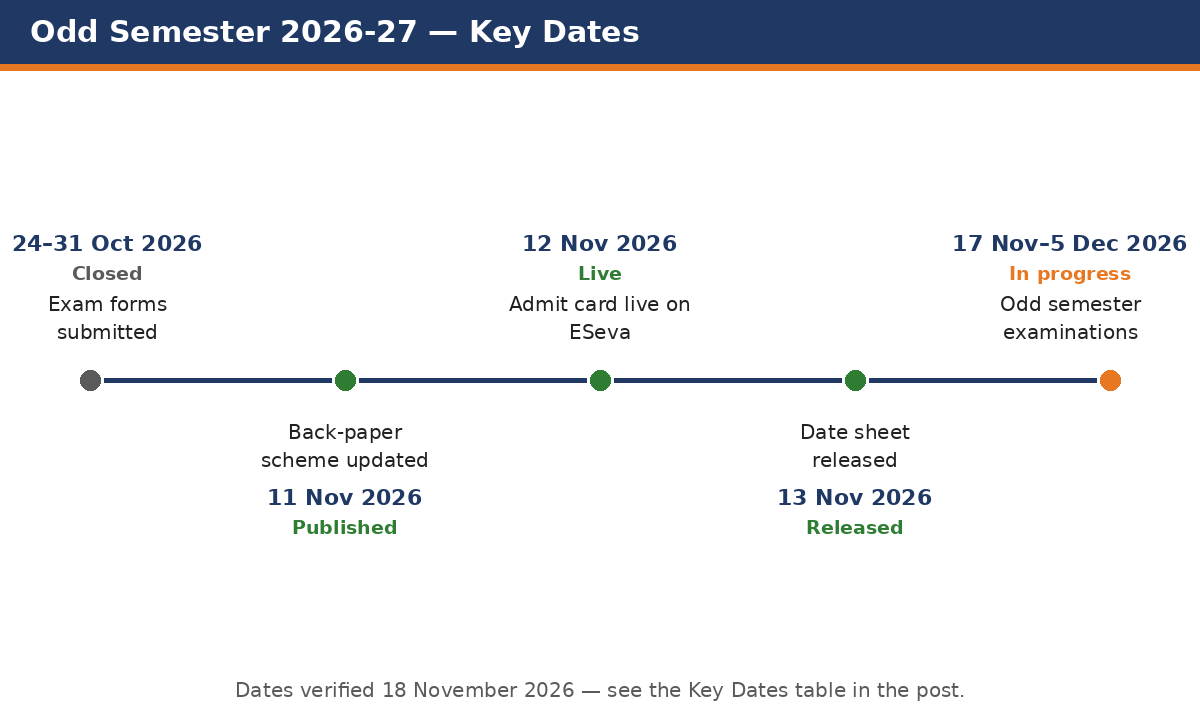
Key Dates — Verified
Every date below comes from JagranJosh and FreeJobAlert, both reporting from the official scheme PDFs on bteup.ac.in. Checked 18 November 2026.
| Event | Status | When |
|---|---|---|
| Exam form submission (students) | Closed | 24 – 31 Oct 2026 |
| Institutes forward forms to the board | Closed | Last day: 2 Nov 2026 |
| Special back-paper Exam Scheme updated | Published | 11 Nov 2026 |
| Admit card download (ESeva Student Login only) | Live | Since 12 Nov 2026 |
| Date sheet (Exam Scheme) on bteup.ac.in | Released | Reported 13 Nov 2026 |
| Odd semester examinations (1st, 3rd, 5th semester) | In progress | 17 Nov – 5 Dec 2026 |
| Special back-paper examinations | In progress | 17 Nov – 5 Dec 2026 |
Where the Official Date Sheet Is
There's only one place you can fully trust for the Exam Scheme PDFs:
- bteup.ac.in, the board's official website. You'll find both schemes here, odd semester and special back-paper. Download the PDF for your own branch and semester, and read your subject entries (paper codes, dates, timings) straight from it.
- Your institute's notice board and exam cell. Institutes get the same scheme and put it up on display, and your teachers work from this copy. If the board site is slow or won't open, your institute's copy is the next best source.
- Your admit card. It prints your own paper dates and shift, and when two sources disagree, the admit card wins.
About day-wise timetables: paper dates and timings vary by branch, semester and subject. No single table fits every student, so we don't publish a copied subject-wise table here. A wrong or mismatched table is worse than none. For your exact papers, check your branch's scheme PDF on bteup.ac.in and your admit card.
Admit Card: Download It Now, Only on ESeva
Your admit card won't come by post. It won't be a general download on any private website either. BTEUP issues the odd-semester admit card only through the ESeva Student Login on bteup.ac.in. You log in with the enrolment number and password your institute gave you, and your personal admit card shows up inside your own login. Here's how, as reported by JagranJosh (12 November 2026):
- Go to the official website, bteup.ac.in.
- Select the Login option in the menu bar and open the Student Login section (the ESeva Student Login).
- Log in with your enrolment number and password.
- Click the admit card download link inside your login.
- Your admit card will appear on screen — download and print the PDF.
Note: menu names and the layout inside the login can change. If a step above doesn't match what you see, follow the labels on the ESeva login page itself (verify on ESeva), or ask your institute's exam cell. Our earlier guide explains the process in full: BTEUP Admit Card 2026 — Odd Semester Download Guide.
One thing many first-semester students don't know: there's no public sign-up for ESeva. Your student login is created through your institute. Never logged in before? Login not working? Don't wait. Exams have already started, so go to your institute today and get it sorted. Full details are in the BTEUP ESeva Student Registration & Login Guide.
Check These 7 Things on Your Admit Card
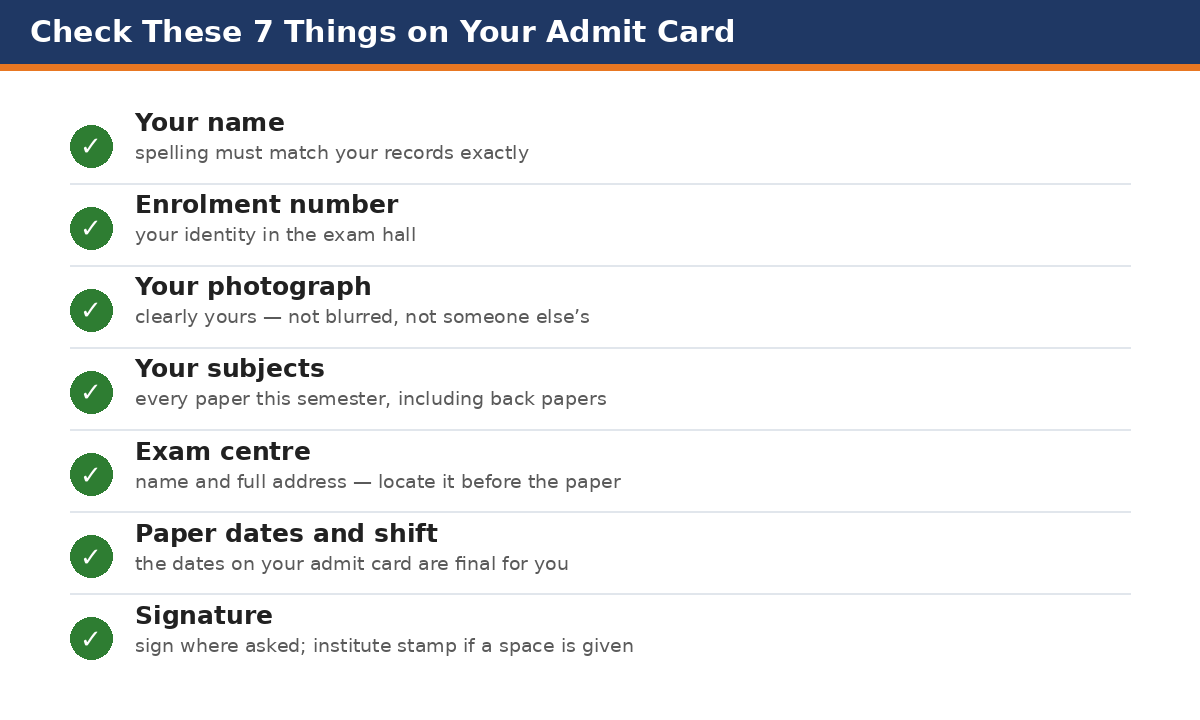
Download your admit card today, take 2–3 printouts, and read every line slowly. Here's what to check:
- Your name — spelling must match your records exactly.
- Enrolment number — this is your identity in the exam hall; it must be yours and correct.
- Your photograph — it should be clearly yours, not blurred or someone else's.
- Your subjects — every paper of this semester must be listed, including any back papers you filled in the exam form. A missing subject is the most dangerous error — report it the same day.
- Exam centre — name and full address. Visit or locate it before your next paper if it is not your own institute.
- Paper dates and shift — the dates printed on your admit card are final for you; match them with the official date sheet.
- Signature — sign where asked, and get the institute's stamp or signature if your admit card has a space for it.
If Something Is Wrong on the Admit Card
Don't wait, and don't try to fix it on any private website. No one except the board can change your admit card, and the board takes corrections through your institute. Go to your institute's exam cell the same day with your admit card printout and your ID proof. Explain the mistake clearly and let the institute raise it with the board. Exams are already running, so a delay now can cost you a paper. That's why downloading on day one mattered. And if you haven't yet, downloading today matters more than ever.
Exams Are Running: What to Do Now
The examination window runs to 5 December 2026. Papers are already under way, so here's the plan:
- Today: download and print your admit card, run through the 7 checks above, and note your remaining paper dates and gaps from the admit card.
- Between papers: revise the next paper first. Subjects with fewer gap days get priority. Don't revise in book order; revise in exam order.
- Before each paper: carry your admit card printout, a photo ID and your institute ID card in one folder. Reach the centre early, especially if it's not your own institute.
- Last papers: where you still have gaps, solve previous-year and model papers under exam timing. Our BTEUP Exam Preparation 2026-27 — Complete Guide brings the notes, model papers and subject-wise material together in one place.
Also check between papers: if you applied for the UP Scholarship 2026-27 (Dashmottar covers diploma students too), see our guide on application status, the correction window and payment dates. Don't let the correction window slip by while exams are running.
Beware: Old and Fake Date Sheets Still Circulate
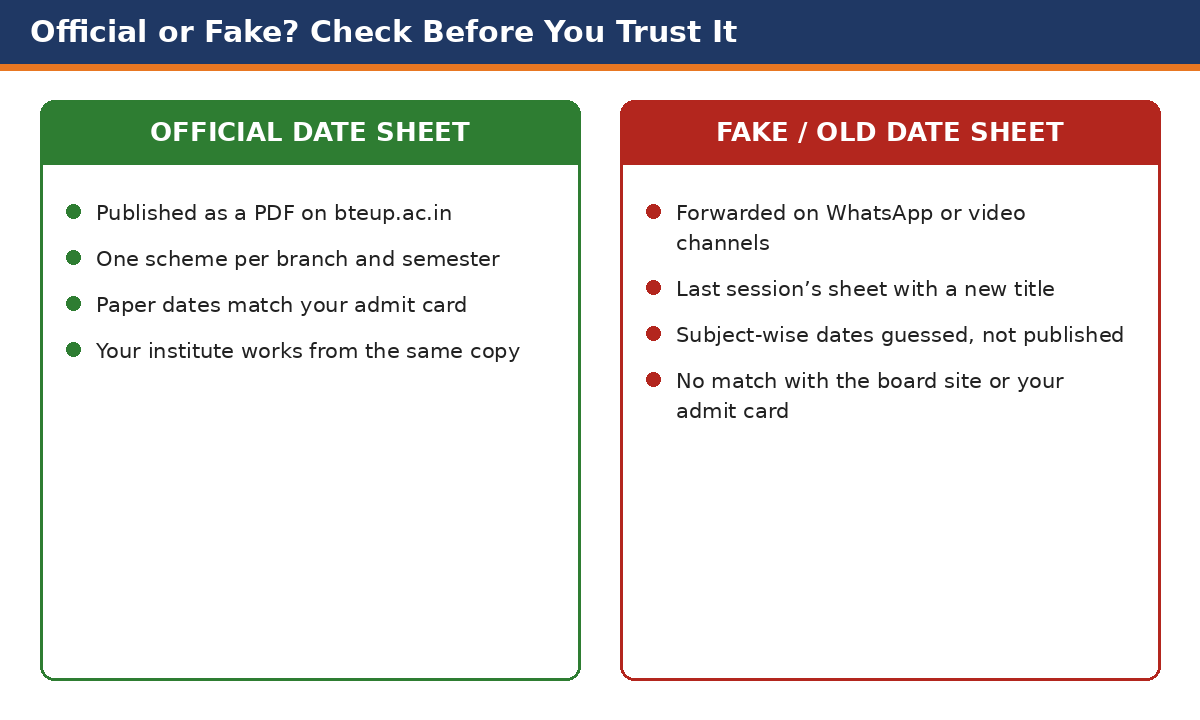
The real scheme is out, but the old fakes haven't gone away. Last session's sheets with a new title, and guessed tables, still circulate on video and WhatsApp. Before you trust or forward any date sheet, check these five things:
- Is the same PDF on bteup.ac.in? If the board has not uploaded it, it is not official — whatever the video title says.
- Read the session printed on the sheet. An old sheet will say 2025-26 or another session. This session is 2026-27, odd semester, November–December 2026.
- Check the semester. Circulating sheets often belong to the even semester (2nd, 4th, 6th). Yours must be 1st, 3rd or 5th.
- Ask your institute. If the exam cell has not received it, the sheet you saw is not the real one.
- Never plan travel or revision on a forwarded PDF. Plan only from the official sheet or from your admit card, which prints your own paper dates.
Our promise: we don't publish guessed subject-wise dates, here or anywhere on this site. Every date on this page comes from the board's published scheme, as reported by JagranJosh and FreeJobAlert, and we check it again before updating.
FAQs
Q. Is the BTEUP date sheet 2026-27 released?
Yes. The odd semester and special back-paper Exam Schemes for November–December 2026 are published on bteup.ac.in (reported 13 November 2026), and the examinations run from 17 November to 5 December 2026.
Q. When do the BTEUP odd semester exams 2026 start and end?
They started on 17 November 2026 and run until 5 December 2026. The special back-paper examinations follow the same window, and your own paper dates are printed on your admit card.
Q. Has the admit card been released?
Yes. Admit cards for the odd semester and special back-paper examinations have been live since 12 November 2026, only inside the ESeva Student Login on bteup.ac.in. Any site offering a direct "download by name" admit card isn't the board's process.
Q. How do I download the BTEUP admit card?
Go to bteup.ac.in, open the Student Login (ESeva), log in with your enrolment number and password, and click the admit card download link inside your login. Then download and print the PDF. If the login doesn't work, your institute's exam cell is the place to get it fixed. There's no public sign-up for ESeva.
Q. I have never used ESeva. Can I register myself?
No. The ESeva student login is created through your institute. Visit your institute today and get your login working. Exams have already started, so don't put it off. Our ESeva guide (linked above) explains the full process.
Q. A video showed a full subject-wise date sheet. Should I trust it?
Only if the same PDF is on bteup.ac.in and it matches your branch, semester and session (2026-27, odd semester). Day-wise timetables vary by branch and semester, so a table made for another branch will mislead you. Your admit card's dates are final for you.
Q. My exam form — how do I know the institute forwarded it?
If your admit card has been generated in your ESeva login, your form was forwarded. If no admit card appears, ask at your institute's exam cell straight away. The forwarding deadline was 2 November 2026.
Sources: JagranJosh — BTEUP Odd Semester Date Sheet 2026 (first published 13 November 2026) and BTEUP Odd Semester Admit Card 2026 (first published 12 November 2026); FreeJobAlert — BTEUP Odd Semester Date Sheet 2026 (published 13 November 2026) and BTEUP Odd Semester Admit Card 2026 (admit card release 12 November 2026; special back-paper scheme updated 11 November 2026). All citing the official scheme PDFs on bteup.ac.in. Last checked: 18 November 2026.


Comments (0)
Share your question or experience about this syllabus. Your comment will appear after review.
No comments yet — be the first to share your thoughts!