3rd Semester Is Here — First Understand What Has Changed This Time
If you are a Computer Science student at a UP Polytechnic, the 3rd semester is the point where studies suddenly start feeling real. The basics of the first year — maths, physics, workshop — are behind you. Now come the subjects that actually define you: Operating Systems, DBMS, Networking, Web Technologies and C Programming.
And here is something many students do not know: the 2026-27 syllabus has changed under NEP-2020. The Board of Technical Education, UP approved it in its meeting on 16 July 2026. So if you are studying from the old 2024-25 syllabus, stop — even the subject names have changed.

3rd Semester At A Glance — The Full Picture
A total of 800 marks and 21 credits. The session runs for 16 weeks, with each period lasting 60 minutes. Theory is only 200 marks — Operating Systems and DBMS. The remaining 500 marks are for practicals and practicum work, and 100 marks are for the internship and Student Centred Activities.
| Code | Subject | Type | Credits | Marks |
|---|---|---|---|---|
| 3.1 | Operating Systems | Theory | 3 | 100 |
| 3.2 | Database Management System | Theory | 3 | 100 |
| 3.3 | Computer Network | Practicum | 4 | 100 |
| 3.4 | Web Technologies | Practicum | 3 | 100 |
| 3.5 | Operating Systems Lab | Practical | 1 | 100 |
| 3.6 | Database Management System Lab | Practical | 2 | 100 |
| 3.7 | Computer Programming Using C | Practicum | 3 | 100 |
| 3.8 | Summer Internship-I (4 weeks, after 2nd sem) | Internship | 2 | 50 |
| — | Student Centred Activities (SCA) | Activity | — | 50 |
What You Study In Each Subject — In Simple Words
1. Operating Systems (Theory + Lab)
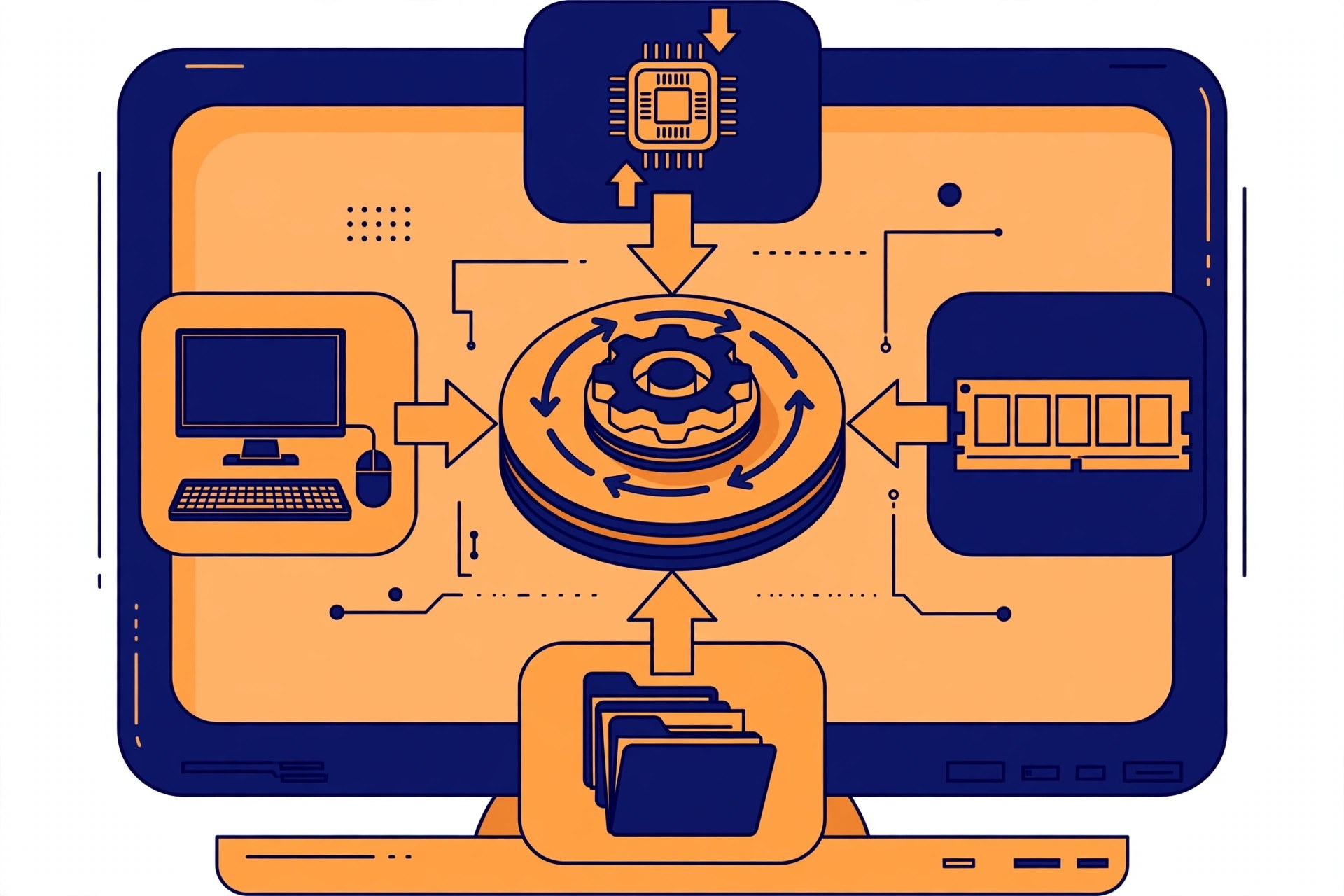
The heaviest subject of the semester — 5 units in theory: OS Overview, Process Management, Memory Management, I/O System and File Management. Process and Memory Management are worth 25% each, so do not take them lightly. The lab has 12 experiments — Linux commands, CPU scheduling (FCFS, SJF, Round Robin, Priority), Banker's Algorithm, page replacement (FIFO, LRU, Optimal) and disk scheduling. These are the same topics interviewers ask about.
2. Database Management System (Theory + Lab)
Storing data, finding it and keeping it correct — that is DBMS. Units: Introduction, Data Model and Keys, Relational Model, Database Design (normalisation — 1NF, 2NF, 3NF, BCNF) and SQL/MySQL. The lab is entirely on MySQL/XAMPP: building an ER model for a library system, creating tables, INSERT/SELECT/UPDATE/DELETE and JOINs. If you want to go into backend or data work, this subject builds your base.

3. Computer Network
How the internet works, how data travels from one computer to another — the OSI and TCP/IP models, cables and wireless media, IP addressing, routing (RIP, OSPF) and TCP/UDP. In practicals you work with tools like Wireshark and Packet Tracer, make patch cords and configure IP/DNS settings.
4. Web Technologies
The first step to building websites: HTML, CSS, JavaScript and PHP. Practicals include form validation, a password-strength checker, Flexbox/Grid layouts and building dynamic pages with PHP + MySQL. A student who takes this seriously in the 3rd semester can have their own portfolio website ready by the 5th.
5. Computer Programming Using C
C is the language every other language is built on. Units: Problem Solving, Operators, Conditional and Looping Statements, Arrays and Strings, Functions and Pointers. Every unit is worth 20% — none of them is small. Pointers confuse most students, so set aside separate time for them.
Internship And SCA — These 100 Marks Are Not Free
The 4-week Summer Internship-I after the 2nd semester is evaluated in the 3rd semester — 50 marks. You keep a daily diary, submit a final report and face a viva — the report carries the most weight (55%). SCA's 50 marks come from personality development, seminars, NCC/NSS and cultural activities. Do not leave either for the last week.
How To Prepare For The 3rd Semester — A Practical Approach
Make notes for OS and DBMS week by week instead of depending on last-minute cramming. Never treat the lab as "just attendance" — the 500 practical marks are what make or break your percentage. Write one small C program every day, even if it is only 20 lines. And do confirm the syllabus with your own polytechnic — some colleges differ slightly in electives or lab arrangements.
Complete Syllabus
The full examination scheme for the 3rd semester, with lecture and practical hours and internal and external marks, followed by the unit-wise topics and the complete practicals list of every subject.
Examination Scheme — Full Detail
| Code | Paper | Type | L – P | Credits | Internal | External | Total |
|---|---|---|---|---|---|---|---|
| 3.1 | Operating Systems | Theory | 3 – 0 | 3 | Theory 40 | Theory 60 (3 hrs) | 100 |
| 3.5 | Operating Systems (Lab) | Practical | 0 – 2 | 1 | Practical 60 | Practical 40 (3 hrs) | 100 |
| 3.2 | Database Management System | Theory | 3 – 0 | 3 | Theory 40 | Theory 60 (3 hrs) | 100 |
| 3.6 | Database Management System (Lab) | Practical | 0 – 4 | 2 | Practical 60 | Practical 40 (3 hrs) | 100 |
| 3.3 | Computer Network | Practicum | 2 – 4 | 4 | 40 | 60 (3 hrs) | 100 |
| 3.4 | Web Technologies | Practicum | 1 – 4 | 3 | Practical 60 | Practical 40 (3 hrs) | 100 |
| 3.7 | Computer Programming Using C | Practicum | 1 – 4 | 3 | Practical 60 | Practical 40 (3 hrs) | 100 |
| 3.8 | Summer Internship-I (4 weeks after 2nd Sem.) | Internship | — | 2 | 50 | — | 50 |
| — | Student Centred Activities (SCA) | Activity | 0 – 8 | — | 50 | — | 50 |
| Total (3rd Semester) | 21 | L10 P26 | 800 marks | ||||
Operating Systems
Units at a Glance
| Unit | Topic | Periods | Marks Share |
|---|---|---|---|
| 1 | Overview of Operating System | 6 | 14% |
| 2 | Process Management | 10 | 25% |
| 3 | Memory Management | 10 | 25% |
| 4 | I/O System | 8 | 18% |
| 5 | File Management | 8 | 18% |
Complete Practicals List
This is the complete list of practicals from the official syllabus.
- Practice of various Linux/Unix commands — man, cp, mv, ln, rm, unlink, mkdir, rmdir, etc.
- Format and install the Windows Operating System.
- Use Task Manager to monitor and terminate processes; understand process priorities.
- Simulate CPU scheduling algorithms: FCFS, SJF, Round Robin, Priority.
- Simulate the Dining Philosophers problem.
- Simulate Banker's Algorithm for Deadlock Avoidance.
- Simulate Banker's Algorithm for Deadlock Prevention.
- Simulate contiguous memory allocation: Worst Fit, Best Fit, First Fit.
- Simulate page replacement algorithms: FIFO, LRU, Optimal.
- Simulate disk scheduling algorithms: FCFS, SCAN, C-SCAN.
- Simulate file organisation techniques: Single-level directory, Two-level directory.
- Simulate file allocation strategies: Sequential, Indexed, Linked.
Database Management System
Units at a Glance
| Unit | Topic | Periods | Marks Share |
|---|---|---|---|
| 1 | Introduction | 6 | 10% |
| 2 | Data Model and Keys | 8 | 25% |
| 3 | Relational Model | 10 | 25% |
| 4 | Relational Database Design | 10 | 25% |
| 5 | SQL / MySQL | 8 | 15% |
Complete Practicals List
This is the complete list of practicals from the official syllabus.
- Install and configure a database system (MySQL through XAMPP Server, MySQL, PostgreSQL, or SQLite).
- Design an ER model for a Library Management System.
- Study the different properties present in an ER model.
- Creating a database and a table; specifying relational data types, constraints and indexes.
- Table and record handling: INSERT, SELECT with INSERT, DELETE, UPDATE, TRUNCATE, DROP and ALTER statements.
- Retrieving data: SELECT, WHERE clause, logical operators, IN, BETWEEN, LIKE, ORDER BY, GROUP BY and HAVING clauses, aggregate functions, and combining tables using JOINS.
- Case study 1: SQL — Library Management System (books, members, authors, publishers).
- Case study 2: SQL — Employee Database (department, salary, joining date queries).
- Case study 3: SQL — Bookstore Inventory (genre, price and stock queries).
- Case study 4: SQL — Student Grades Database (grade-wise retrieval, averages, updates and deletions).
Computer Network
Units at a Glance
| Unit | Topic | Periods | Marks Share |
|---|---|---|---|
| 1 | Introduction | 6 | 12% |
| 2 | Data Communication and Communication Methodologies | 10 | 25% |
| 3 | Network Layer | 10 | 25% |
| 4 | Transport Layer | 8 | 25% |
| 5 | Network Devices | 8 | 13% |
Complete Practicals List
This is the complete list of practicals from the official syllabus.
- Study a network simulation tool (Wireshark, Cisco Packet Tracer, NS-2, GNS3, etc.).
- Observe how data travels through the OSI layers using network tools.
- Show various types of networking cables and connectors and identify them clearly.
- Study specifications of cables and connectors of various companies on the internet and find out the differences.
- Make patch cords using different types of cables and connectors — crimping, splicing, etc.
- Demonstrate different types of cable testers and use them for testing patch cords.
- Configure computing devices (PC, laptop, mobile) for a network — IP address, gateway, DNS and security options.
- TCP communication between two devices.
- Show various networking devices — NICs, hub, bridge, switch, router, gateway, WiFi access point, etc.
- Study specifications of various networking devices of various companies on the internet and find out the differences.
Web Technologies
Units at a Glance
| Unit | Topic | Periods | Marks Share |
|---|---|---|---|
| 1 | Web Development Introduction | 2 | 10% |
| 2 | HTML Basics | 3 | 25% |
| 3 | Cascading Style Sheets | 3 | 15% |
| 4 | JavaScript | 3 | 25% |
| 5 | PHP | 3 | 25% |
Complete Practicals List
This is the complete list of practicals from the official syllabus.
- Install, configure and start using developer tools / code editor / browser.
- Pick any three websites and categorise them as static, dynamic or responsive, with reasons.
- List five web browsers and search engines.
- Open a website using Chrome Developer Tools; modify the text and background colour of a paragraph and take a screenshot.
- Create an HTML file with your name, a brief bio, an image and a list of hobbies.
- Design an HTML table listing five products with names, prices and descriptions.
- Build an HTML form with name, email, message, radio buttons, a newsletter checkbox and a submit button.
- Style elements using element, class, ID and pseudo-class selectors.
- Create a navigation bar using Flexbox, with a logo and evenly spaced links.
- Create a webpage layout using CSS Grid (header, sidebar, main content, footer).
- Write a JavaScript program that rates a password as Weak, Medium or Strong based on length.
- Validate a form for a valid email and a password (minimum 8 characters, at least one number).
- Practising PHP: basics; web development application; MySQL.
- Installation of WAMP/XAMPP Server.
Computer Programming Using C
Units at a Glance
| Unit | Topic | Periods | Marks Share |
|---|---|---|---|
| 1 | Introduction to Problem Solving | 2 | 20% |
| 2 | Operators & Expression | 3 | 20% |
| 3 | Conditional & Looping Statements | 3 | 20% |
| 4 | Arrays & String | 3 | 20% |
| 5 | Function & Pointer | 3 | 20% |
Complete Practicals List
This is the complete list of practicals from the official syllabus.
- Installation of a C compiler; familiarisation with the programming environment and its options/menus.
- Draw a flowchart using MS Word or any other editor / online tool (e.g. Draw.io).
- Programs using I/O statements and various operators: print your name; arithmetic and logical operators; swap two numbers with and without a third variable.
- Programs using expression evaluation and precedence: unary and ternary operators; post- and pre-increment operators.
- Programs using decision making and branching: odd/even check; prime number check; largest of three numbers.
- Programs using loops: factorial; table of a number; prime numbers from 1 to 100; Fibonacci series up to n; different star patterns.
- Programs using n-dimensional arrays: print a 3×3 matrix; transpose of a 3×3 matrix; addition of two matrices.
- Programs using string functions: length of a string; concatenation of two strings; palindrome check for a string/number.
- Programs using parameter passing: user-defined function to add two numbers; call by value; call by reference.
- Programs using recursion: factorial using recursion.
- Programs using pointers: print the address of a variable using a pointer; swap the contents of two variables using a pointer.
Frequently Asked Questions
How many total marks are there in the 3rd semester?
800 marks, 21 credits — theory 200, practical/practicum 500, internship 50 and SCA 50.
Why is the 2026-27 syllabus different from the old one?
It is the updated NEP-2020 curriculum, approved by BTEUP on 16 July 2026. Both subject names and structure have changed.
Which subject carries the most marks?
Every main subject is worth 100 marks, but the practical subjects (Network, Web Tech, C and both labs) add up to 500 marks — which is why the lab deserves the most attention.
How are the 500 practical marks divided in the 3rd semester?
Computer Network 100, Web Technologies 100, Computer Programming Using C 100, Operating Systems Lab 100 and Database Management System Lab 100.
How is Summer Internship-I marked?
Punctuality and regularity 15%, initiative in learning new things 15%, presentation and viva 15%, and the industrial training report 55%.
How can I download the subject-wise syllabus PDFs?
Use the download link in the Download section below, or open any subject post from the Related Syllabus Posts list — each subject post has its own PDF download.
Related Syllabus Posts
- BTEUP CSE Complete Syllabus 2026-27 — 1st, 3rd & 5th Semester (All Subjects)
- Operating Systems — BTEUP CSE 3rd Semester Syllabus 2026-27
- Database Management System — BTEUP CSE 3rd Semester Syllabus 2026-27
- Computer Network — BTEUP CSE 3rd Semester Syllabus 2026-27
- Web Technologies — BTEUP CSE 3rd Semester Syllabus 2026-27
- Computer Programming Using C — BTEUP CSE 3rd Semester Syllabus 2026-27
- Summer Internship-I & Student Centred Activities — BTEUP CSE 3rd Semester Syllabus 2026-27
Download The 3rd Semester Syllabus PDF
Download the complete subject-wise syllabus PDFs below — a separate PDF for every subject, prepared by KAMALDNP Academy.
Download The 3rd Semester Syllabus PDF
Source: BTEUP 2nd Year Computer Science & Engineering curriculum (folder2627), NEP-2020 aligned. Please confirm with your own polytechnic as well.