HTML Classes
2 min read · Free · No login needed
The class attribute gives an element a name that CSS and JavaScript can use. Unlike id, which must be unique, a class can be shared by many elements — and one element can have several classes at once.
Why classes exist
Imagine a page with twenty course cards that should all look the same. Without classes you would have to style each one separately. With a class, you write the style once — .card { border: 1px solid #ccc; padding: 16px; } — and give every card class="card". Change the CSS once and all twenty cards change together.
Multiple classes
An element can carry several classes, separated by spaces: <div class="card featured large">. In CSS, .card styles all cards, .featured adds the special look, and .card.featured (no space) targets only cards that are also featured. This is how real websites build flexible designs from small reusable pieces.
Class naming
Good class names describe what the thing is, not how it looks: class="course-card" is better than class="orange-box". If the design changes later and the box becomes blue, the name "orange-box" becomes a lie, while "course-card" stays true.
Example
<!DOCTYPE html>
<html>
<head>
<title>Classes</title>
<style>
.card { border: 1px solid #ccc; padding: 12px; }
.featured { background: #fff3e0; }
</style>
</head>
<body>

<div class="card">Normal card</div>
<div class="card featured">Featured card</div>
<div class="card">Another normal card</div>

</body>
</html>
Output
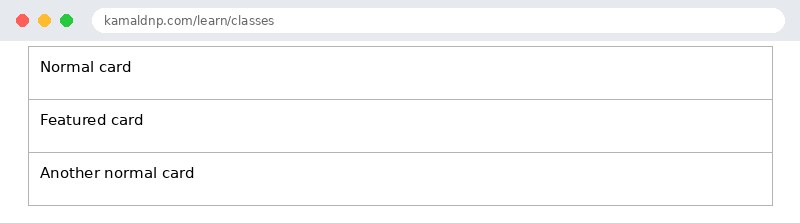
test.html, open it in your browser, and change the text to see what happens. That is how you learn — by changing things and watching the result.Get certified — just ₹10
Finish all 30 lessons, pass the test (80%), pay ₹10 and get your certificate.
Take the testGo further with a full course
Free tutorials teach you the basics. Our paid courses add live projects, mentorship and a certificate.
Browse all courses