HTML Id
2 min read · Free · No login needed
The id attribute gives an element a unique name. No two elements on the same page should share an id. It is used for three things: linking to a specific part of a page, styling one single element with CSS, and letting JavaScript find and change that element.
Linking to a section
Give a heading an id — <h2 id="contact">Contact Us</h2> — and a link can jump straight to it: <a href="#contact">Go to Contact</a>. This is how "back to top" links and long-page navigation work.
Styling with id
In CSS, an id is selected with a hash: #header { background: navy; }. Because an id is unique, this rule styles exactly one element. But prefer classes for styling — ids are so specific that they are hard to override later, which causes headaches on large sites.
JavaScript and id
JavaScript finds elements by id with document.getElementById("myBox"). This is the most common way a script grabs one specific element to change its text, hide it, or read a value from it. You will see this in the JavaScript lesson.
id="Header" and id="header" are two different ids. Keep ids lowercase and consistent to avoid confusion.Example
<!DOCTYPE html>
<html>
<head>
<title>Id</title>
<style>
#main-title { color: navy; }
</style>
</head>
<body>

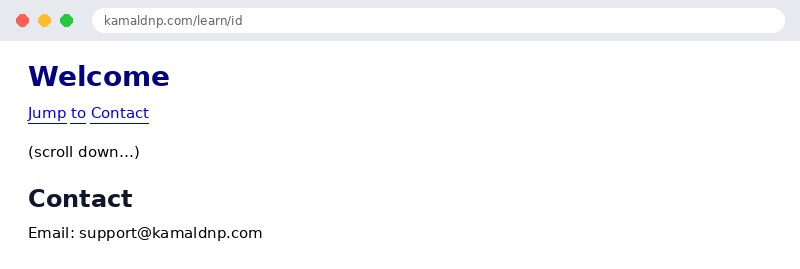
<h1 id="main-title">Welcome</h1>
<p><a href="#contact">Jump to Contact</a></p>
<p style="height: 300px;">(scroll down…)</p>
<h2 id="contact">Contact</h2>
<p>Email: support@kamaldnp.com</p>

</body>
</html>
Output
test.html, open it in your browser, and change the text to see what happens. That is how you learn — by changing things and watching the result.Get certified — just ₹10
Finish all 30 lessons, pass the test (80%), pay ₹10 and get your certificate.
Take the testGo further with a full course
Free tutorials teach you the basics. Our paid courses add live projects, mentorship and a certificate.
Browse all courses